
Product guide
Interviews
Schedule an interview, keep its details current and record the outcome.
Open Interviews (/portal/interviews) or schedule from a submission at /portal/submissions/:id. Select the candidate and job context, interview type, date and time, and the participants required by the form.
Manage the interview
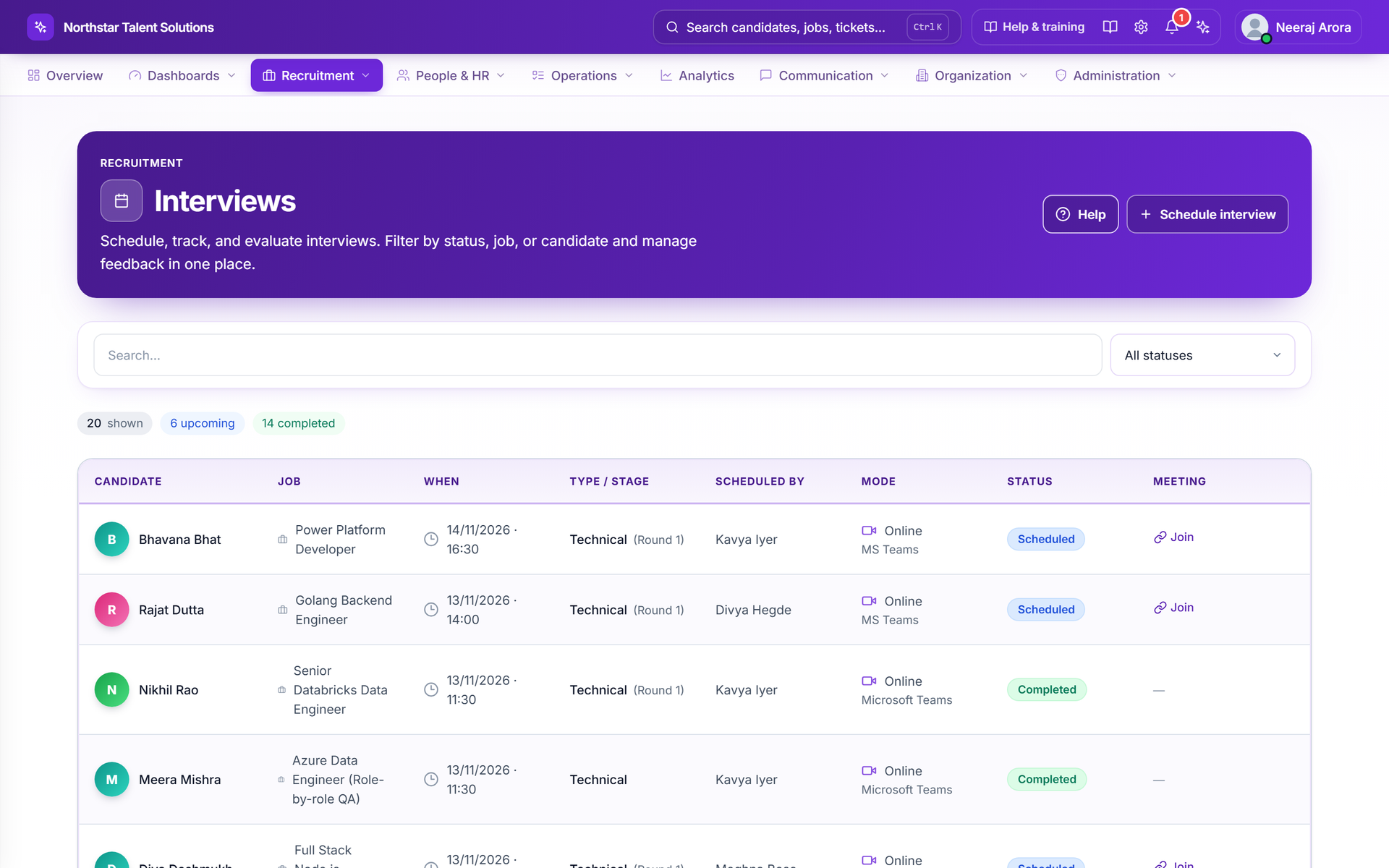
- Open
/portal/interviews/:idto review the schedule and participant details. - Use Reschedule to change the date or time and record the reason. A cancelled interview cannot be rescheduled.
- Update the status through Scheduled, In Progress and Completed as the interview takes place.
- Record feedback and an outcome: Selected, Rejected, Shortlisted, On Hold or Next Round.
An outcome is required before an interview can be marked Completed. Saving the result keeps the interview history attached to the recruitment workflow.
When interview email sending is enabled for the workspace, use the provided scheduling flow and verify the recipients before sending. Check upcoming interviews from the interviews list or the interview operations workspace rather than maintaining a separate calendar spreadsheet.
Customers can also find this guide inside the HireGo portal, under Knowledge centre. Available pages and actions depend on your role.